
Typing practice
Paste fresh paragraphs into a typing trainer instead of repeating the same pangram.
No account required. Results are generated in your browser.
Adjust the filters and generate a fresh list.
Random Word Kit · free tool
Generate random paragraphs for writing practice, typing drills, and reading warm-ups. Paste your own words to steer the topic.
Step 1
Generate one paragraph or up to ten, with two to eight sentences each.
Step 2
Paste a few of your own words — each paragraph weaves them into otherwise random sentences.
Step 3
Copy the paragraphs, download them as TXT, or share a link that rebuilds the same run.
A random paragraph generator is handy whenever blank text is worse than imperfect text: typing practice, layout mockups, reading fluency drills, and free-writing warm-ups.
Paste fresh paragraphs into a typing trainer instead of repeating the same pangram.
Describe the generated paragraph, continue it, or rewrite it in a different tone.
Families of similar-length paragraphs beat lorem ipsum when you need realistic filler.
No account, no upload. Everything is generated locally in your browser.
Yes. Each paragraph is assembled from plain-English sentence templates with random nouns, verbs, and adjectives, so it reads naturally even though it is randomly generated.
Yes — up to ten paragraphs per run, each with two to eight sentences.
Yes. Paste up to 20 words and the generator cycles them through the paragraphs so the topic drifts toward your list.
Yes, like every Random Word Kit tool: no account, no limits, no watermarks.
Drop to the generator that matches the grain of your exercise.
A random paragraph generator produces a block of readable prose that you did not have to write. It is not a writing assistant and it is not a research tool — it is a text source. What makes it useful is the distance between you and the words: because you did not compose the paragraph, you can rewrite it, type it, cut it, grade it, or drop it into a layout without any attachment to the result. This guide covers the three jobs people use one for most often — warm-ups, typing practice, and design mockups — plus classroom routines, a step-by-step session plan, troubleshooting, and answers to the questions that come up most.
Most paragraph generators work the same way under the hood. They hold a pool of words and phrases, draw from that pool using a grammar template, and assemble the results into sentences grouped into a block of text. The result reads like English. It usually follows basic sentence structure. It is almost never factually reliable, and it almost never holds a single argument together across five sentences.
That is the point. You are not getting a source. You are getting raw material with the texture of a paragraph: capital letters, punctuation, varied sentence lengths, and enough awkwardness to be interesting.
These three tools answer different questions, and choosing the wrong one wastes time.
If you are sketching a poster and need a headline, a word tool is faster. If you need to fill a two-column brochure with filler, the paragraph tool is the right one.
Writers warm up the way runners do: with something low-stakes that gets the muscles moving. The problem is that most warm-up prompts ask you to be creative before you are ready. A generated paragraph flips that. It hands you finished, slightly clumsy prose and asks only that you do something to it.
Here are five drills that take five to ten minutes each.
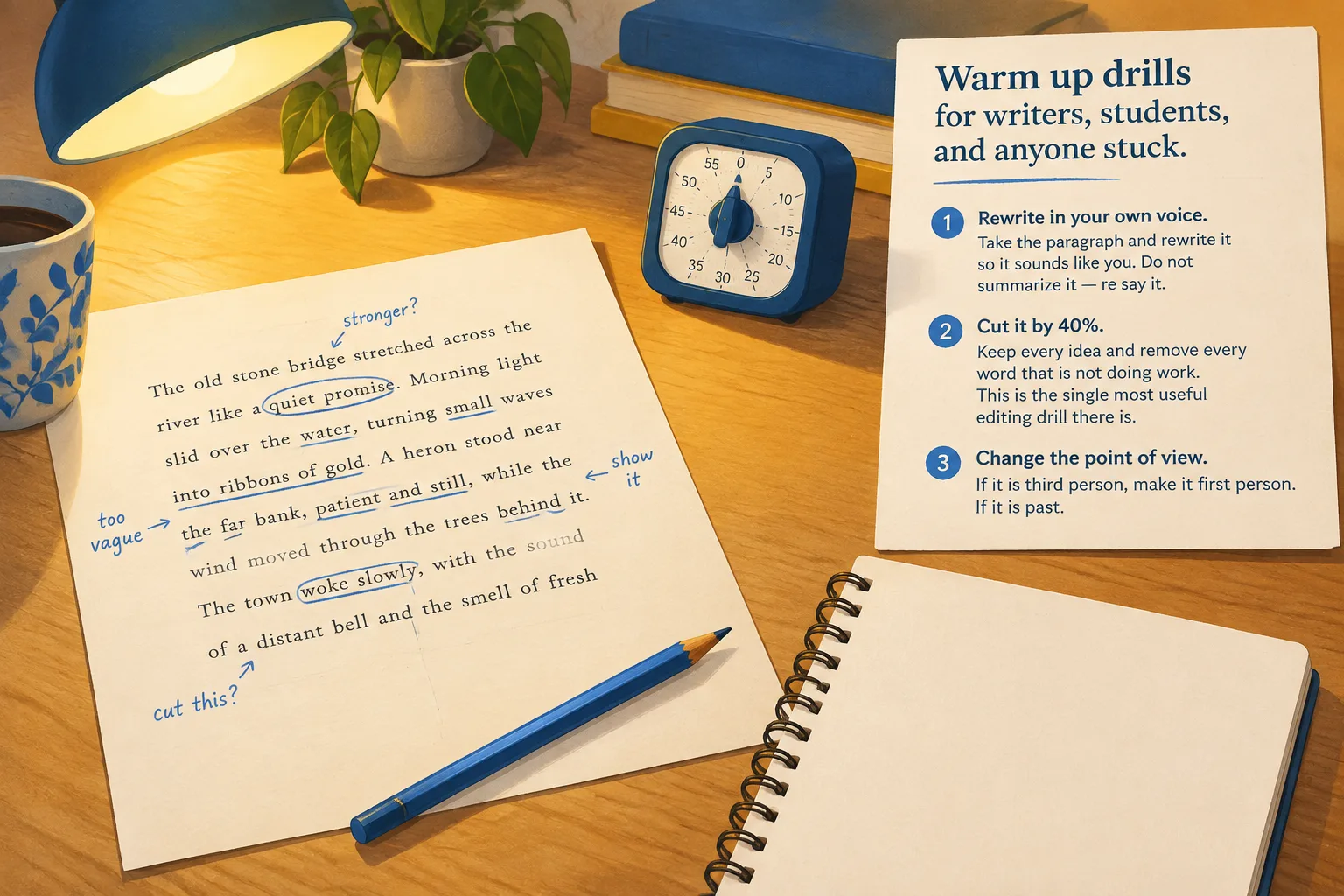
When the material belongs to you, every edit feels like a judgment on your own ability. When it belongs to nobody, you can be ruthless. That psychological distance is the whole reason a generated block works so well for editing practice: you can cut a sentence without flinching, and you can experiment with a bolder rewrite because nothing important is at stake.
Typing drills usually recycle the same pangram or the same list of common words. After two weeks you are not practicing typing — you are reciting. A fresh paragraph every session solves that problem. You cannot memorize your way through text you have never seen.
A few practical constraints make the practice sharper:
Track two numbers per session: words per minute and accuracy. Write them down. Look at the trend once a week, not once a session — daily numbers bounce around because of sleep, keyboard, and mood.
A simple weekly plan:
| Day | Focus | Time |
|---|---|---|
| Monday | Accuracy only, slow pace | 5 min |
| Tuesday | 60-second speed bursts | 6 min |
| Wednesday | Punctuation and capitals | 5 min |
| Thursday | Long paragraph, no corrections | 5 min |
| Friday | Re-type Monday's paragraph, compare | 5 min |
The point of the plan is not to hit a target number. It is to make the practice repeatable, so it survives a busy week.
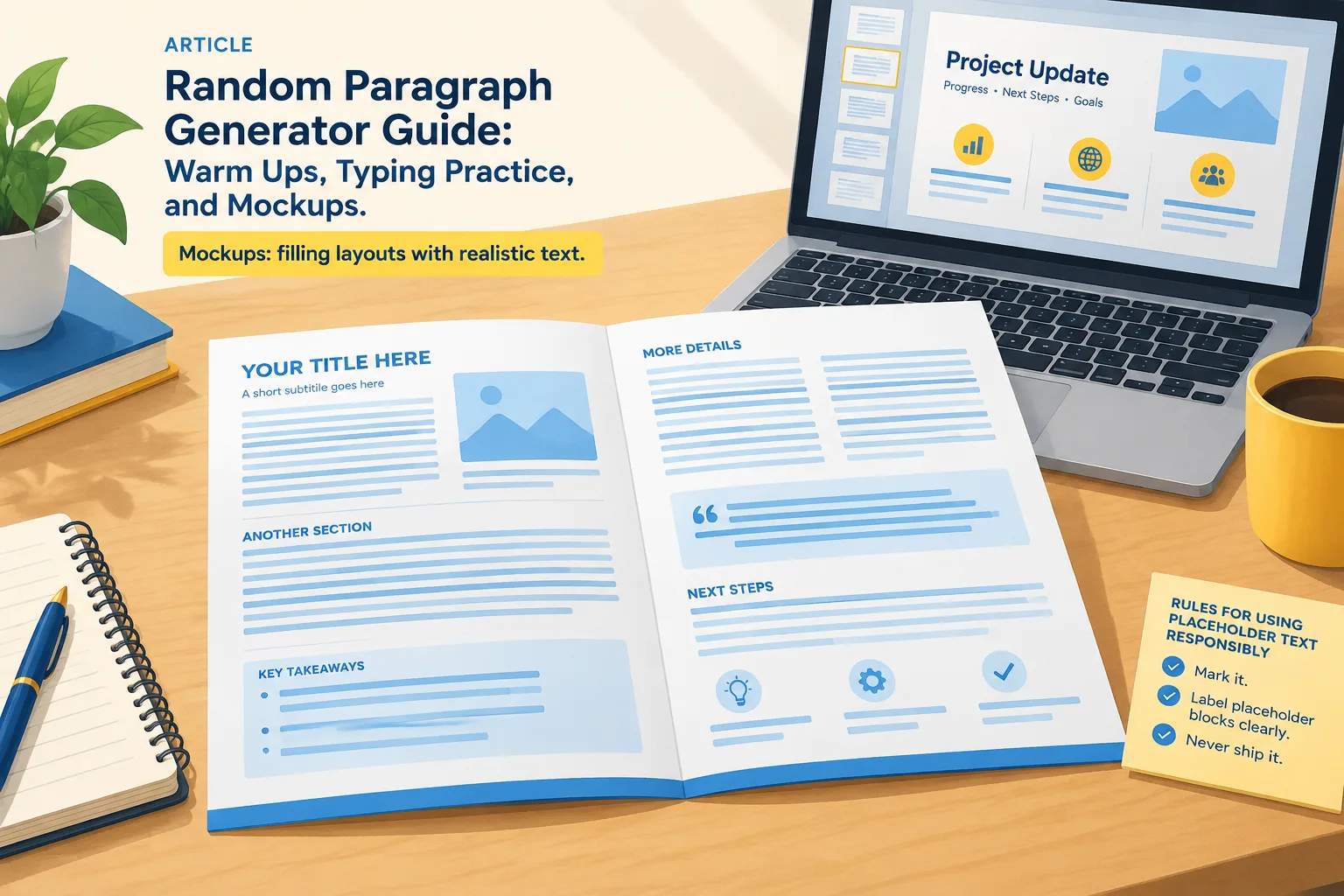
Designers and document builders need text that behaves like real text. That means word lengths that vary, sentences that wrap across lines, and paragraphs long enough to reveal whether a column is too narrow.
Latin filler still works for pure shape testing, but it fails for anything a human will read: slide decks shown to a client, worksheet templates, email mockups, print samples, and interface screens that reviewers will actually scan. In those cases, English-language filler keeps the reviewer focused on the layout instead of puzzling over the language.
Teachers often get more out of a paragraph generator than writers do, because a class needs a steady supply of fresh, neutral text.
Because the text is generated rather than quoted from a published author, you can cut, paste, and print it freely for classroom handouts.
The most interesting use is indirect. Instead of treating the paragraph as the product, treat it as a source of raw material for a prompt.
A workflow that works:
This turns a neutral text block into a prompt machine with almost no setup, which is exactly what you want on a day when the blank page is winning.
Here is a complete routine you can run today.
The routine is deliberately boring. Boring routines are the ones that survive contact with a busy week.
Short paragraphs drawn from a small pool repeat words quickly. Generate a longer block and cut it down, or run the tool twice and take the second half of one and the first half of the other.
Many tools let you choose a target length. If yours does not, generate two and splice them. For typing practice, 60–90 words fits a one-minute burst well.
Change the task from "write like this" to "fix this." Editing is harder to copy and easier to assess, and it gives you something concrete to mark.
Add a habit: before exporting, search the document for a distinctive word from the filler. If it appears, you are not done. A second check is to look at the page at a glance — filler blocks often sit in visually regular chunks that stand out once you know to look.
Is a random paragraph generator the same as an AI writer?
No. A generator assembles text from a word pool using templates. It does not research, reason, or respond to your topic. Treat the output as filler or practice material, never as a source of facts.
Can I use generated paragraphs in a published document?
Not as content. Use them for layout testing only, and replace every block with real copy before publishing. If you need text for a real project, write it or commission it.
How long should a practice paragraph be?
For typing, 60–90 words is a good one-minute target. For editing drills, 80–150 words gives you enough sentences to make real decisions about structure and word choice.
Does typing random text actually improve typing speed?
It builds the same skills as any typing drill — key familiarity, rhythm, and accuracy — with the advantage that you cannot memorize the text. Progress comes from consistent short sessions, not one long one.
Is it useful for people learning English?
Yes, with supervision. Generated paragraphs use ordinary sentence structures, so they work for reading fluency, punctuation practice, and vocabulary substitution. Because the content is not factual, avoid building comprehension questions about meaning on top of it.
What if the paragraph contains odd or nonsensical phrases?
That is normal. Treat the oddity as part of the exercise: rewrite the sentence so it makes sense. Fixing awkward text is the skill you are practicing.
Do I need an account to use one?
Tool pages on this site are built to be used immediately in a browser. Open the page, generate a paragraph, and copy what you need.
Pick one of the three uses and run it once. Generate a paragraph, set a five-minute timer, and either rewrite it, type it, or drop it into a layout. One paragraph is enough to tell you whether the tool fits your routine — and if it does not, you have lost five minutes rather than an afternoon.
Generate a random paragraph and start the next five minutes.