Easy — everyday objects
Short, drawable nouns like cat, sun, boat, and house. One or two big shapes each, perfect for kids and first-timers.
No account required. Results are generated in your browser.
Adjust the filters and generate a fresh list.
Random Word Kit · free tool
Generate drawable Pictionary words with easy, medium, and hard difficulty.
Step 1
Easy for families, medium for mixed groups, hard for a real challenge.
Step 2
Generate 8-12 words so the round keeps moving without pauses.
Step 3
Use present mode or copy the list and reveal clues one by one.
Short, drawable nouns like cat, sun, boat, and house. One or two big shapes each, perfect for kids and first-timers.
Words like lighthouse, snowman, astronaut, and waterfall combine two or three shapes — a fair step up for mixed groups.
Imagination, gravity, kaleidoscope, pterodactyl: abstract nouns and spelling traps that make experienced players draw ideas instead of objects.
Concrete, familiar words that are easy to visualize — the easy pack sticks to short objects, while hard words are abstract or compound.
Yes — there is a dedicated Charades generator with actable words and phrases.
The word wiki keeps a curated Pictionary word list organized for browsing. Use the generator when you want surprise, the list when you want to hand-pick every word before the game.
Browse the curated Pictionary word lists in the word wiki, or switch to the acting game.
A pictionary word generator takes the pressure out of hosting a drawing-and-guessing game. Instead of brainstorming words on the spot, you choose a difficulty pack and let the tool serve up prompts. This guide explains how to use a generator for game night, classroom review, and party rounds, with practical setup steps, troubleshooting tips, and a FAQ. You can follow along with Random Word Kit's word generator as you read.
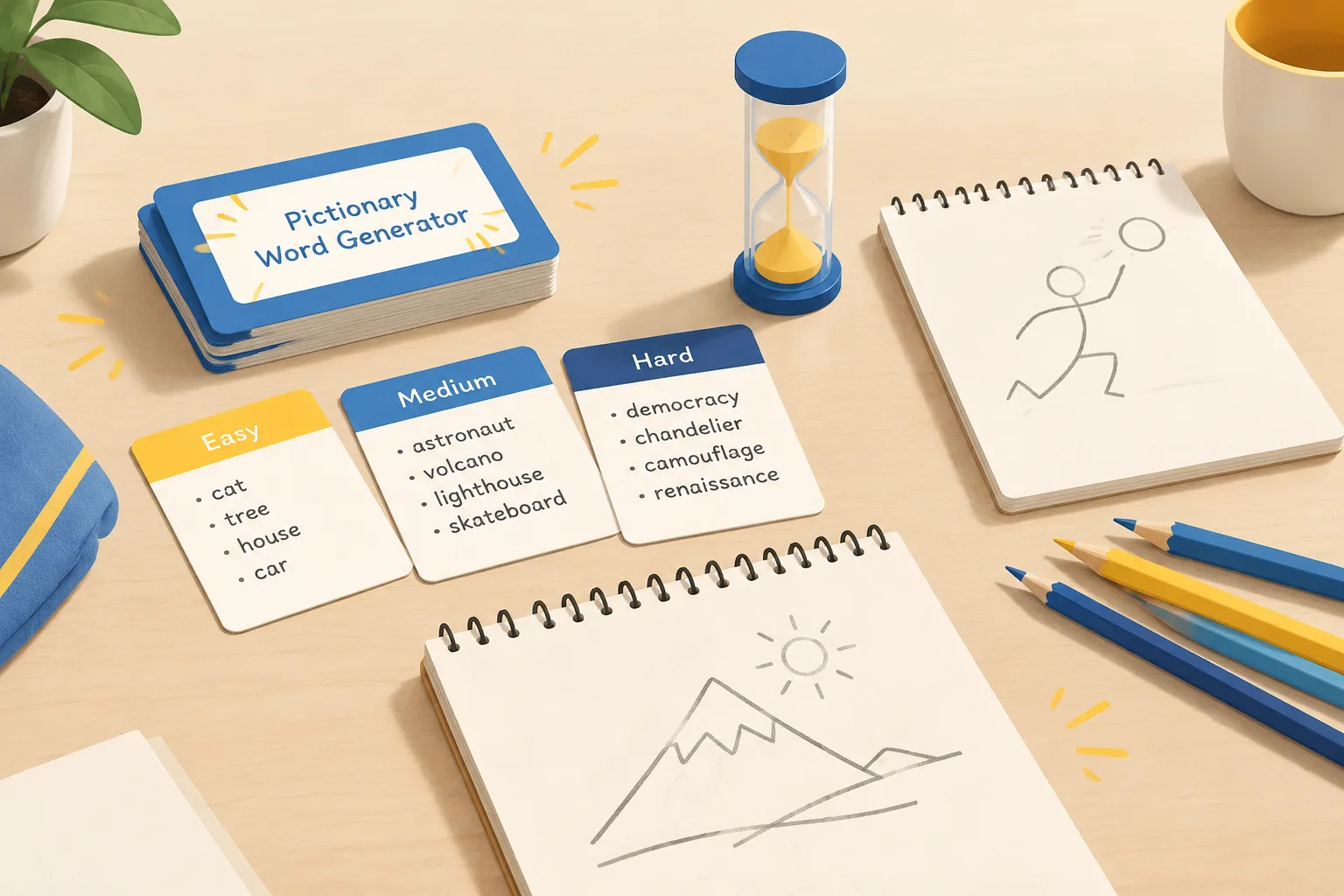
A pictionary word generator is a tool that produces words or short phrases for players to draw. It can be as simple as a random word list or as structured as difficulty packs that separate concrete nouns from abstract ideas. The goal is not to replace the rules of the game. The goal is to remove the pause that happens when the host stares at a blank card and tries to think of a good word.
Most generators let you control a few things:
A good generator also keeps phrases short enough to draw. Long sentences slow down the round and invite arguments. If you need a general-purpose list for other word games, the same site also offers a random word generator that can be filtered by part of speech.
Difficulty is not only about how rare a word is. It is also about how easy the word is to represent visually. A word like apple is easy because it has a clear shape. A word like freedom is hard because it has no single picture. Difficulty packs help you match prompts to the players in the room, so a family round does not turn into a vocabulary test.
A pictionary word list generator usually groups words into bands. You can also build your own bands by mixing categories. Here is a practical way to think about each level.
The easy pack works for children, mixed-age groups, and the first round of the night. Words are familiar objects, animals, foods, and actions that most players can draw in a few strokes.
Examples: apple, bicycle, volcano, swimming, robot, pizza, rainbow, elephant, guitar, sleeping.
Draw them: use basic shapes. A circle with a stem is an apple. A triangle with steam is a volcano. The point is speed, not art.
Medium words ask players to combine two ideas or draw a scene. They are still concrete, but they need a little planning.
Examples: lighthouse, spaghetti, traffic jam, dentist, airport, popcorn, snowman, waterfall, birthday cake, roller coaster.
Draw them: break the word into parts. Lighthouse = light + house. Traffic jam = cars + clock. This teaches players to sequence their drawing.
Hard words are not impossible. They simply require symbols, metaphors, or a visual story. This is where the game becomes creative and funny.
Examples: justice, nostalgia, teamwork, gravity, patience, freedom, piece of cake, time flies, cold feet.
Draw them: use common visual metaphors. Justice can be scales. Teamwork can be hands stacked together. Idioms need a literal and a figurative layer, so give players a few extra seconds.
The expert pack is for confident players who want a challenge. It can include multi-word phrases, famous titles, or local inside jokes. Keep an eye on trademarks and copyrighted names. You can describe a movie plot without using the exact title, or use public-domain characters and generic ideas.
Examples: time travel, black hole, social media, first day of school, midnight snack, robot uprising.
Draw them: plan a small comic strip in your head. Start with the setting, then add the key action. Expert rounds often need a larger drawing area.
Once you have your packs, the setup is straightforward. Here is a repeatable process for any group size.
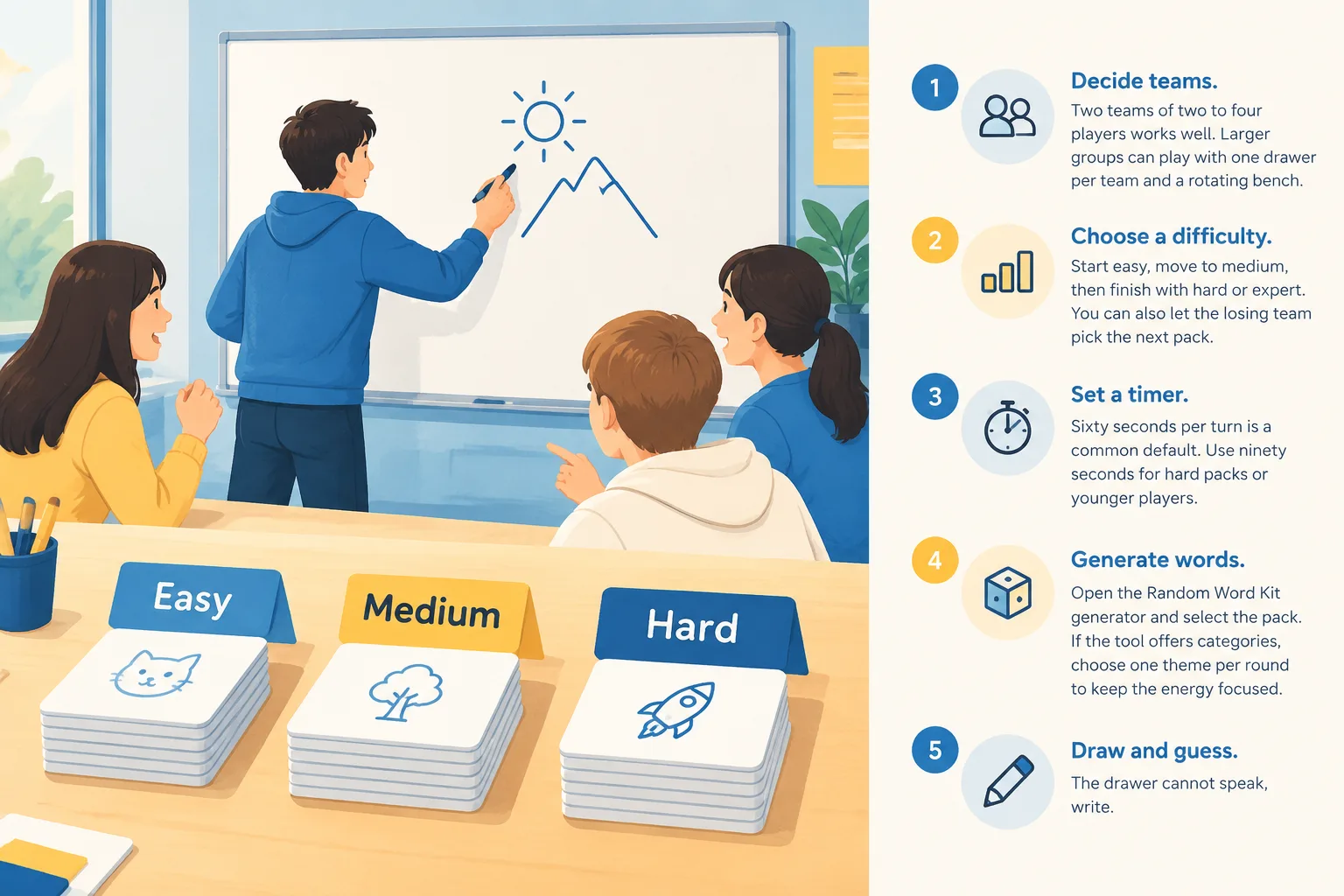
Here is a complete plan you can run with four to eight players. It uses the generator for every word, so no one has to prepare a list in advance.
Minute 0-5: Setup. Split into two teams. Place a whiteboard or paper and markers within reach of each team. Open the pictionary word list generator on a phone or laptop.
Minute 5-15: Easy round. Each team gets five turns. Use the easy pack. Sixty seconds per turn. Score one point per correct guess. This round warms up the players and shows who is comfortable drawing.
Minute 15-25: Medium round. Switch to the medium pack. Increase the timer to seventy-five seconds. Introduce a rule: the drawer may not use letters or numbers. This round usually produces the first big laughs.
Minute 25-30: Hard round and tie-breaker. Use the hard pack. If the score is tied, run a sudden-death turn with an expert word. The first team to guess correctly wins.
After the game, ask players which words were hardest. Those words become your custom pack for the next session. You can also save the list and reuse it with a different group.
A pictionary word generator is not only for parties. Teachers can use it for vocabulary review, language learning, and quick formative assessment. The key is to choose words that match the lesson, not just words that are fun to draw.
Before a quiz, generate ten to fifteen terms from the unit. Put them in a bowl or use the generator live. Students draw the term while classmates guess. This forces students to translate a definition into a visual representation, which strengthens recall.
For ELL students, use the easy pack and allow verbal clues after the first thirty seconds. The game then becomes a speaking activity as well as a drawing activity. Pair a stronger speaker with a quieter student so both can participate.
Hard packs can include scientific processes, historical events, and geography terms. Examples: photosynthesis, erosion, supply and demand, latitude, tectonic plates. These are challenging to draw, so allow labels or a short caption if the goal is content review rather than strict game rules.
Keep a generated list on hand for substitute teachers or the last ten minutes of class. Choose a theme that connects to the current unit, or let students vote on a category. The random noun generator can help you build a quick list of concrete nouns when you need simple prompts.
A good pictionary word list has variety. If every word is a food, the game feels repetitive. If every word is abstract, players get frustrated. Use these guidelines to build balanced packs.
Even a well-planned game can run into snags. Here is how to handle the most common ones.
If the first three turns end in silence, switch packs immediately. You can also allow one pass per team per round. If words are too easy, add a constraint: no drawing the obvious object, or use a thirty-second timer.
Set a rule before the game: the drawer decides if a guess is close enough. If the guess is a synonym, the drawer can nod. If the team wants a stricter game, require the exact word. Write the rule on a score sheet so everyone can see it.
Most generators avoid repeats within a session, but you can also keep a running list on paper. Cross out words as they are used. If a repeat appears, draw again. For long sessions, refresh the pack or switch categories.
Give the drawer a simple starting move: draw a circle, a line, or a frame. This breaks the blank-page panic. You can also allow a ten-second planning period before the timer starts.
Use a visible timer that everyone can see. Announce the score after each turn. If two teams disagree, the host makes the final call. Keep the tone light. The game is meant to be fun, not a courtroom.
A generator is a starting point. You can create custom packs for birthdays, classrooms, or family inside jokes. Here is a simple process:
Avoid using trademarked names, movie titles, or brand logos unless you have permission. You can describe a well-known story in generic terms instead. For example, instead of a specific superhero name, use hero with a cape or secret headquarters.
Not every player is comfortable drawing, and some may have motor or vision differences. A few adjustments can keep the game inclusive.
These changes do not break the game. They make it possible for more people to join the fun.
A pictionary word generator is a tool that produces words or short phrases for players to draw. It often groups words by difficulty or category, so you can choose an easy pack for children or a hard pack for experienced players.
For a sixty-second turn, prepare at least ten to fifteen words per team. If you are playing three rounds, generate thirty to forty-five prompts. It is better to have extra words than to pause the game while you search for more.
Yes. Choose words from your current unit and use the easy or medium pack as a starting point. You can also create a custom list with science, history, or language terms. Allow labels or captions if the goal is content review rather than strict game rules.
Good easy words are concrete nouns and simple actions: apple, bicycle, volcano, swimming, robot, pizza, rainbow, elephant, guitar, sleeping. They have clear shapes and can be drawn in a few strokes.
Switch to abstract nouns, idioms, or multi-word phrases. Examples include justice, nostalgia, teamwork, piece of cake, and time travel. You can also shorten the timer or require the drawer to use only one continuous line.
It is safer to avoid trademarks and copyrighted titles in a public or classroom setting. Use generic descriptions instead, such as space adventure or talking robot. For private game nights, follow your group's comfort level and local rules.
Yes. You can use a shared whiteboard app and a word generator on a separate screen. One player draws on the whiteboard while others type guesses in a chat. The same difficulty packs work for online play, but you may want a slightly longer timer.
You now have a repeatable system for running drawing-and-guessing rounds with a pictionary word generator. Start with the easy pack, move to medium, then challenge your group with hard or expert words. Keep the timer visible, score simply, and let the drawer decide when a guess is close enough.
Ready to play? Open the Random Word Kit generator, choose a difficulty pack, and start your first round. If you want to build a custom list for a specific theme, use the same tool to gather ideas and then sort them into your own easy, medium, and hard piles.